

SPARTANBURG, S.C. (August 8, 2025) — Spartanburg County government systems were disrupted this week by a ransomware attack, marking the third known cyberattack on the county in the past seven years.
County Communications Manager Scottie Kay Blackwell said the cybersecurity incident was detected earlier this week by the county’s network software. A coordinated response was launched immediately, involving the county’s cybersecurity vendor and law enforcement agencies. Blackwell stated that the attack was contained by internal systems and security personnel.
As a precaution, the county temporarily disabled certain network connections and suspended several electronic services. Recovery efforts are ongoing, and officials are working to fully restore public access to affected systems. No timeline has been provided for when all services will be back online.
This latest incident follows two previous ransomware attacks against Spartanburg County entities:
- In April 2023, county systems were targeted in a ransomware attack that forced temporary shutdowns. Few public details were released, but cybersecurity professionals were brought in to assist with containment and recovery efforts.
- In January 2018, the Spartanburg County Public Library system was hit by ransomware after an infected email was opened by a staff member. The attack disabled public computers and Wi-Fi services across all branches. The library system reportedly received a ransom demand of 3.6 to 3.8 bitcoins, then valued at over $35,000.
It remains unclear whether any ransom demands were made in the current incident or whether any data was stolen or encrypted. County officials have not confirmed the identity of the ransomware group responsible.
Blackwell emphasized that essential services such as emergency communications remain operational, and county offices are open to the public.
Ransomware and the Rising Threat to Local Governments
Ransomware is a type of malicious software that encrypts a victim’s data, rendering it inaccessible unless a ransom is paid, typically in cryptocurrency. Attacks are often delivered through phishing emails or vulnerabilities in outdated software.
Local governments have increasingly become targets due to limited cybersecurity resources and the critical nature of public services. Once inside a network, attackers may demand payments to restore access or threaten to leak sensitive data.
According to cybersecurity experts, counties, cities, and school districts across the U.S. have faced growing waves of ransomware attacks in recent years, often resulting in prolonged service disruptions, costly recovery efforts, and—at times—payments to hackers when data backups are insufficient.
Federal and state agencies have urged local governments to strengthen cyber defenses, implement regular data backups, conduct employee training, and develop incident response plans to reduce risk and minimize the impact of future attacks.
A Home User’s Guide to Preventing Ransomware
Ransomware is a type of malicious software that locks your personal files and demands a payment to unlock them. The good news is, you can protect your home computer from this threat with a few simple steps.
1. Back Up Your Data
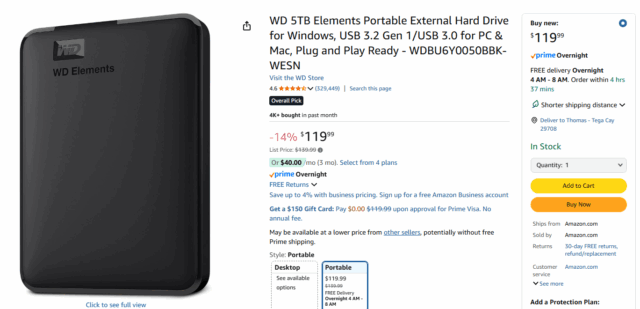
This is your single most important defense. If a ransomware attack happens, a recent backup allows you to restore your files without paying the ransom. You should have at least two copies of your most important files—one on your computer and another on a separate device, like an external hard drive. This second copy should be unplugged from your computer when you’re not using it.
2. Update Your Software
Think of software updates as security patches. Attackers often exploit flaws in old software to infect your system. Always install updates for your operating system (like Windows or macOS) and all your other applications as soon as they become available. Better yet, enable automatic updates.
3. Be Smart Online
Most ransomware infections start with a phishing email. Be wary of attachments or links in emails from people you don’t know, or even from people you do if the email seems unusual. Don’t download software from untrusted websites.
4. Use Security Tools
Make sure you have reliable antivirus software installed and that it’s always up to date. Using strong, unique passwords for your online accounts and enabling two-factor authentication (2FA) whenever possible adds another critical layer of security, making it harder for criminals to get into your systems.
By following these easy tips, you can significantly reduce your risk and keep your personal data safe from ransomware.
Feeling lost in the digital world? Dr. Tom is here to help!
Join Dr. Tom every week in his column, Dr. Tom’s Cyber Bits and Tips, for byte-sized advice on all things cyber and tech. Whether you’re concerned about online safety, curious about the latest cybercrime trends, or simply want to navigate the ever-evolving digital landscape, Dr. Tom has you covered.
From practical cybersecurity tips to insightful breakdowns of current threats, Dr. Tom’s column empowers you to stay informed and protect yourself online. So, dive in and get savvy with the web – with Dr. Tom as your guide!

Sign up for our Sunday Spectator. Delivered to your inbox every Sunday, with all the news from the week.

Thomas Hyslip lives in Tega Cay with his wife and daughter. After 27 years in the U.S. Army and Federal Law Enforcement, he retired to pursue his passion for teaching. Tom is now an Assistant Professor of Instruction at the University of South Florida. In 2 short years he has won 10 awards from the South Carolina Press Association, including first place in column writing, education beat reporting and best podcast.