
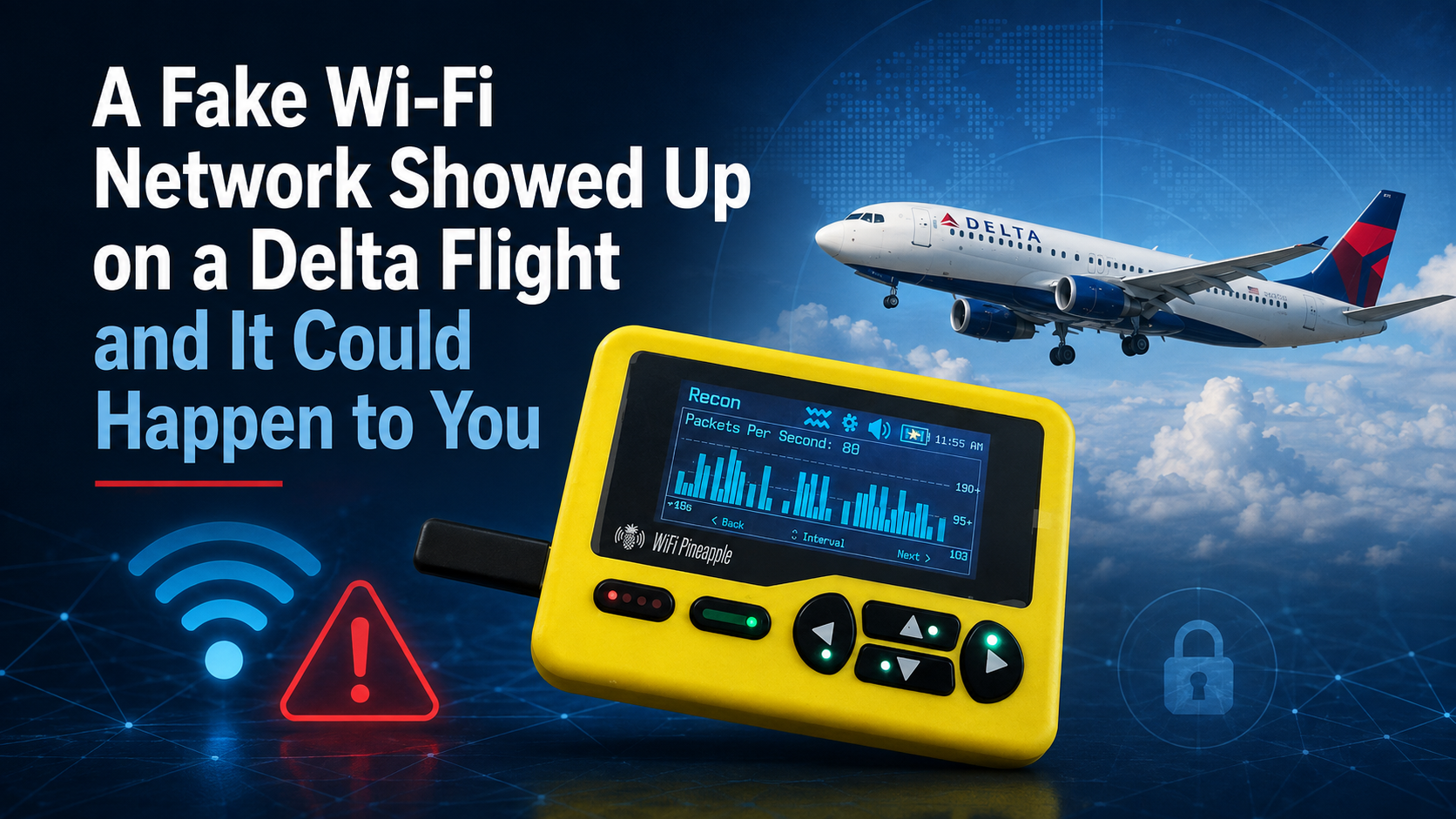

On Aug. 10, a Delta flight left Las Vegas for Atlanta carrying 199 passengers, six crew members and, apparently, at least one person who thought it would be funny to run a scam at 35,000 feet.
Somewhere along the way, a Wi-Fi network named Delta WiFi Fast showed up on the list of available networks. It was not Delta’s. The airline says it did not provide, operate or supply that network. The crew shut down the airplane’s real Wi-Fi for about 30 minutes as a precaution. Delta says no aircraft system was hacked and the safety of the flight was never in question, and federal law enforcement and aviation regulators are now involved.
The timing was not a coincidence. The flight left Las Vegas just after DEF CON 34, one of the largest hacker conventions in the world, wrapped up in that city.
I spent 23 years investigating cybercrime for the federal government, and I want to be clear about one thing before we go any further. Nobody took over the airplane. This was not a threat to the flight. It was an old scam in modern clothing, and the target was never the Boeing 757. The target was the wallet of the person sitting in 22B.
How the trick works
What appeared on that airplane is called an evil twin. The idea is old enough that it has been around as long as Wi-Fi has.
An attacker turns on a small wireless access point, which is simply a device that broadcasts a Wi-Fi signal, and gives it a name that sounds official. Delta WiFi Fast sounds like something an airline would offer. Then he waits.
Here is the part most people never stop to think about. When you open the Wi-Fi menu on your phone, you are reading a list of names that other people chose. That is all a network name is. There is no badge, no verification, no seal of approval. Anyone with a battery pack and a device that costs about $100 can broadcast a network called City Hall Guest or Free Public Wi-Fi, and your phone will display it right next to the real thing, in the same font, with the same little signal bars.
Now let us take this one step further. Reports from the flight indicate the legitimate Wi-Fi was jammed while the fake signal was broadcast. If that holds up, it points to what is called a deauthentication attack, where the attacker floods the air with signals that knock everyone’s devices off the real network. Your phone drops offline, looks around for something to reconnect to, and there sits the fake network with open arms.
Once you connect, the attacker controls what you see. A login page appears asking for your name, your frequent flyer number, your email and your credit card. It looks exactly like the page you would expect, because nothing stops a criminal from copying an airline’s logo off the internet. You type it all in. You get an error message. You shrug, try again later, and never think about it again until the charges show up.
Why this matters on the ground
Nearly 200 people were on that airplane. That is more people than live on several Tega Cay streets put together, all sealed in one metal tube, all staring at the same list of Wi-Fi names, all with no way to tell which one was real.
But here is the thing that should stick with you. An airplane is actually the least likely place you will ever run into this. A cabin is a terrible place to pull this stunt, because the suspect list is the passenger manifest. Whoever did this handed investigators a short list of names, seat assignments and payment records. That is not a clever hack. That is a confession with a boarding pass attached.
The places you should actually worry about are the ones you pass through every week. Airport terminals. Hotel lobbies. Coffee shops. The waiting room while your car gets an oil change. Anywhere a lot of strangers come and go, a fake network can sit quietly for hours and nobody will ever know who set it up or when it left.
What to do about it
My first recommendation is the one people like least. Stop using public Wi-Fi.
Almost everyone reading this carries a phone with a generous data plan, and nearly every one of those phones can create a personal hotspot, which is a private Wi-Fi network that only you use, running over your own cellular connection. It sits right in your phone settings, it takes about 10 seconds to turn on, and it removes this entire category of attack from your life. Nobody can impersonate your hotspot, because you are the one holding it.
If you have to use public Wi-Fi, use a virtual private network (VPN). A VPN scrambles your internet traffic before it leaves your device, so even if a criminal has planted himself between you and the internet, what he captures is unreadable garbage. A good one costs a few dollars a month. That is a lot cheaper than one fraudulent charge and a week of phone calls to your bank.
And whatever you do, verify the network name against a source the person in the next seat cannot control. Airlines publish the correct network name in their own app and print it on the seatback card and in the inflight magazine. Hotels print it on the key card sleeve. If the name on your screen does not match the name on the paper or in the app, do not connect to it.
Six habits worth building
- Use your phone’s personal hotspot instead of public Wi-Fi whenever you can.
- If you must use public Wi-Fi, turn on your VPN before you do anything else.
- Turn off auto join in your Wi-Fi settings, so your phone stops shopping for networks on its own while it is in your pocket.
- Confirm the network name from the airline app, the seatback card, the key card sleeve or the front counter. Never from the list itself.
- Never type a credit card number or a password into a login page you were not expecting. A free network that wants your card is not a free network.
- If your browser throws a certificate warning, stop right there. That warning exists for exactly this situation.
The takeaway
The Wi-Fi list on your phone is not a directory of trusted businesses. It is a list of names strangers typed in. Treat it that way. Use your own hotspot when you can, use a VPN when you cannot, check the name against something printed on paper, and save your banking for when you are home on your own network.
The people on Flight 591 got lucky, because someone noticed. Most of the time nobody notices, and that is the whole point.
Stay Safe
Sign up for our Sunday Spectator. Delivered to your inbox every Sunday, with all the news from the week.

Thomas Hyslip lives in Tega Cay with his wife and daughter. After 27 years in the U.S. Army and Federal Law Enforcement, he retired to pursue his passion for teaching. Tom is now an Assistant Professor of Instruction at the University of South Florida. In 2 short years he has won 10 awards from the South Carolina Press Association, including first place in column writing, education beat reporting and best podcast.