For decades, the internet has relied on a security model that is fundamentally flawed: the password. We are told to make them long, complex, and unique for every account. Yet, the average person has to manage dozens, if not hundreds, of login credentials.
The result is “password fatigue,” leading to re-used passwords, security breaches, and billions of dollars lost to cybercrime.
Enter the Passkey: a new industry standard designed by the FIDO Alliance (backed by Apple, Google, and Microsoft) that promises to kill the password for good.
What Is a Passkey?
A passkey is a digital credential used to sign in to websites and apps. Unlike a password, which is a string of characters you must remember and type, a passkey consists of cryptographic keys stored securely on your device.
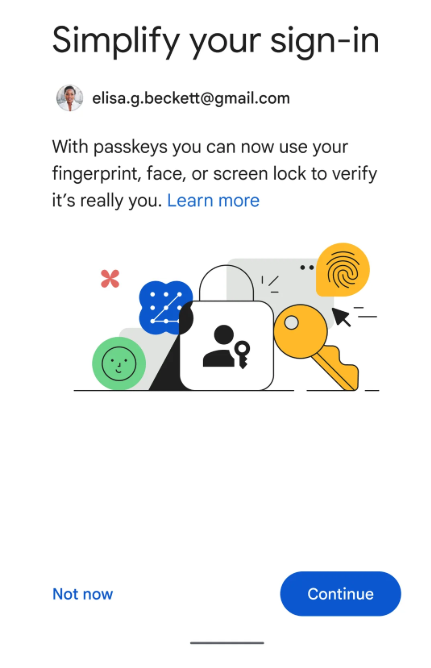
From a user’s perspective, logging in with a passkey is indistinguishable from unlocking your phone. You simply use your face (FaceID), fingerprint (TouchID), or a device PIN. There is nothing to remember and nothing to type.
How Do Passkeys Work?
To understand why passkeys are secure, we have to look under the hood at Public Key Cryptography.
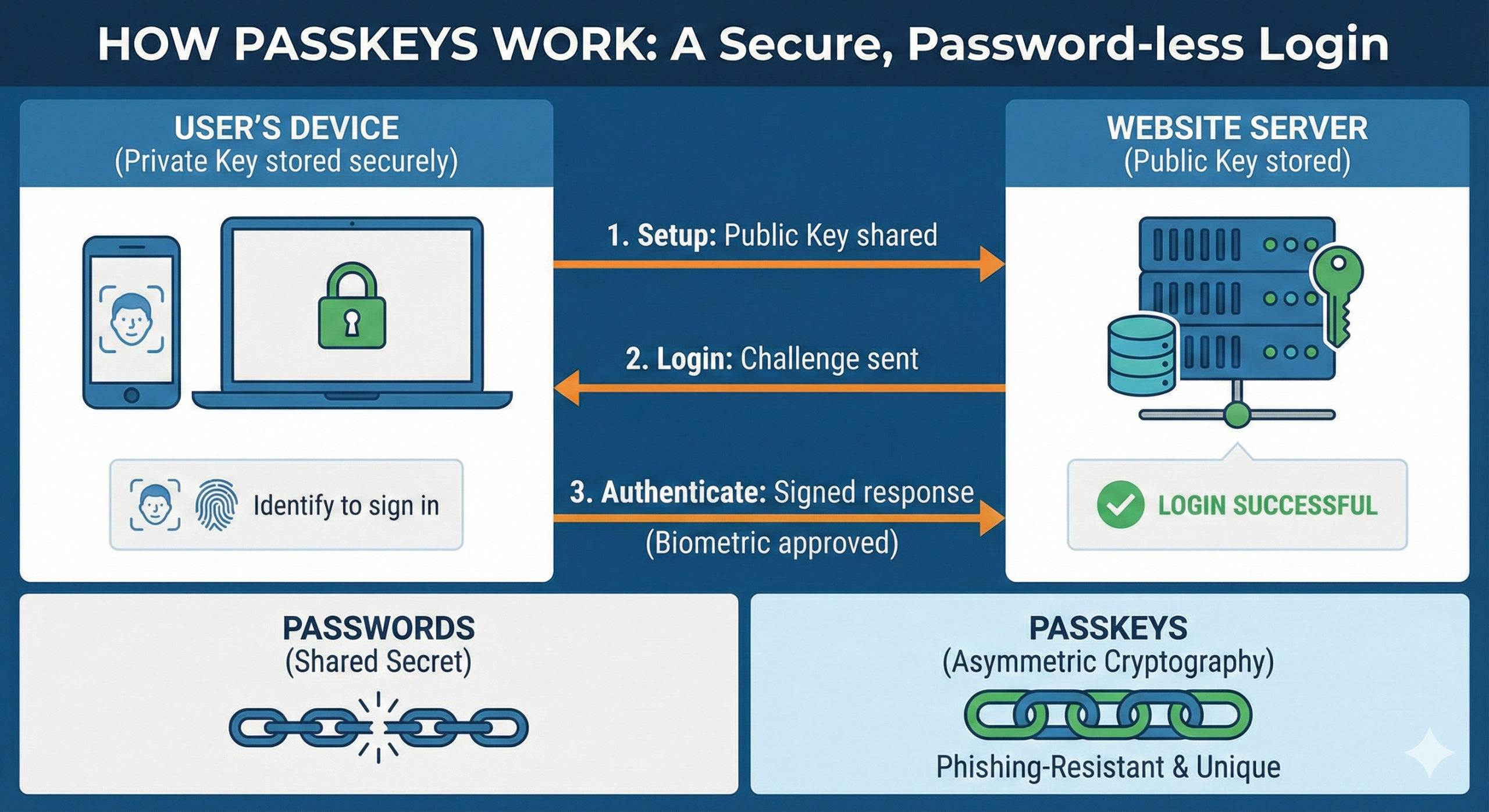
When you create a passkey for an account (like Google or PayPal), your device generates a unique pair of cryptographic keys:
-
The Private Key: This is stored securely on your device (phone, laptop, or security key). It never leaves your device and is never shared with the website.
-
The Public Key: This is sent to the website’s server. As the name implies, it is public and useless without the matching private key.
The Authentication Process:
When you try to log in, the website sends a digital “challenge” to your device. Your device uses the Private Key to solve the challenge and sends the signed response back. The website uses the Public Key to verify the signature.
If the math matches, you are logged in. You never actually transmitted a password across the internet.
The Security Showdown: Passkeys vs. Passwords
Passkeys represent a paradigm shift in security. Here is why they are superior to passwords in almost every way:
1. Passkeys Are Phishing-Resistant
This is the single biggest advantage. Phishing attacks work by tricking you into typing your password into a fake website (e.g., g00gle.com instead of google.com).
-
With Passwords: If you type your password into a fake site, the attacker steals it.
-
With Passkeys: Your device knows exactly which website the passkey belongs to. If you are on a fake phishing site, your device simply won’t offer to use the passkey. You cannot accidentally “hand over” your passkey.
2. Server Breaches Are Less Dangerous
We hear about database breaches constantly where hackers steal millions of user passwords.
-
With Passwords: Hackers steal the password (or hash) and can try to use it on other sites.
-
With Passkeys: The server only holds your Public Key. If hackers steal the public key, it doesn’t matter. They cannot use it to log in as you because they don’t have your physical device with the Private Key.
3. No Weak Credentials
Users can’t choose “123456” or “password” as a passkey. The cryptographic strength is determined by the device, not the user’s creativity.
The User Experience: What Changes?
The shift to passkeys makes the internet significantly easier to use.
-
Cross-Device Syncing: Passkeys are synced securely through your ecosystem’s cloud. If you create a passkey on your iPhone, it syncs via iCloud Keychain to your Mac and iPad. If you use Android, it syncs via Google Password Manager.
-
Cross-Platform Login: Need to log in to a computer using a passkey stored on your phone? You can choose “Login with a different device.” The computer displays a QR code, you scan it with your phone, and approve the login biometrically.
-
Speed: Authentication is near-instant. No more typing, mistyping, and resetting forgotten passwords.
Are There Any Downsides?
While passkeys are the future, the transition phase has minor hurdles:
-
Ecosystem Lock-in: Moving passkeys between ecosystems (e.g., switching from Apple to Android) is currently more difficult than exporting a CSV file of passwords, though solutions are being developed.
-
Public Computers: Logging in on a public library computer requires you to have your phone with you to facilitate the handshake (via QR code). You cannot just “remember” your login.
Conclusion
Passkeys are not just a security upgrade; they are a usability upgrade. By binding login credentials to hardware and biometrics rather than human memory, we eliminate the weakest link in digital security.
While passwords won’t disappear overnight, the major tech giants have already flipped the switch. The next time an app asks if you want to “Create a passkey,” say yes. It is the safest way to browse.

Feeling lost in the digital world? Dr. Tom is here to help!
Join Dr. Tom every week in his column, Dr. Tom’s Cyber Bits and Tips, for byte-sized advice on all things cyber and tech. Whether you’re concerned about online safety, curious about the latest cybercrime trends, or simply want to navigate the ever-evolving digital landscape, Dr. Tom has you covered.
From practical cybersecurity tips to insightful breakdowns of current threats, Dr. Tom’s column empowers you to stay informed and protect yourself online. So, dive in and get savvy with the web – with Dr. Tom as your guide!

Sign up for our Sunday Spectator. Delivered to your inbox every Sunday, with all the news from the week.