



Have you recently noticed an unexpected chirping sound while navigating through the Facebook app on your iPhone? This peculiar noise has left many puzzled, with a preference for a quieter experience. Particularly, iPhone and iPad users have reported hearing this strange sound as they scroll thru their Facebook feed. Initially, you might think you have a new message, or mention on Facebook. However, the persistent sound just keeps chirping as you scroll, becoming unmistakable.
So how do you disable this annoying new feature?
– Launch the Facebook app on your iPhone.
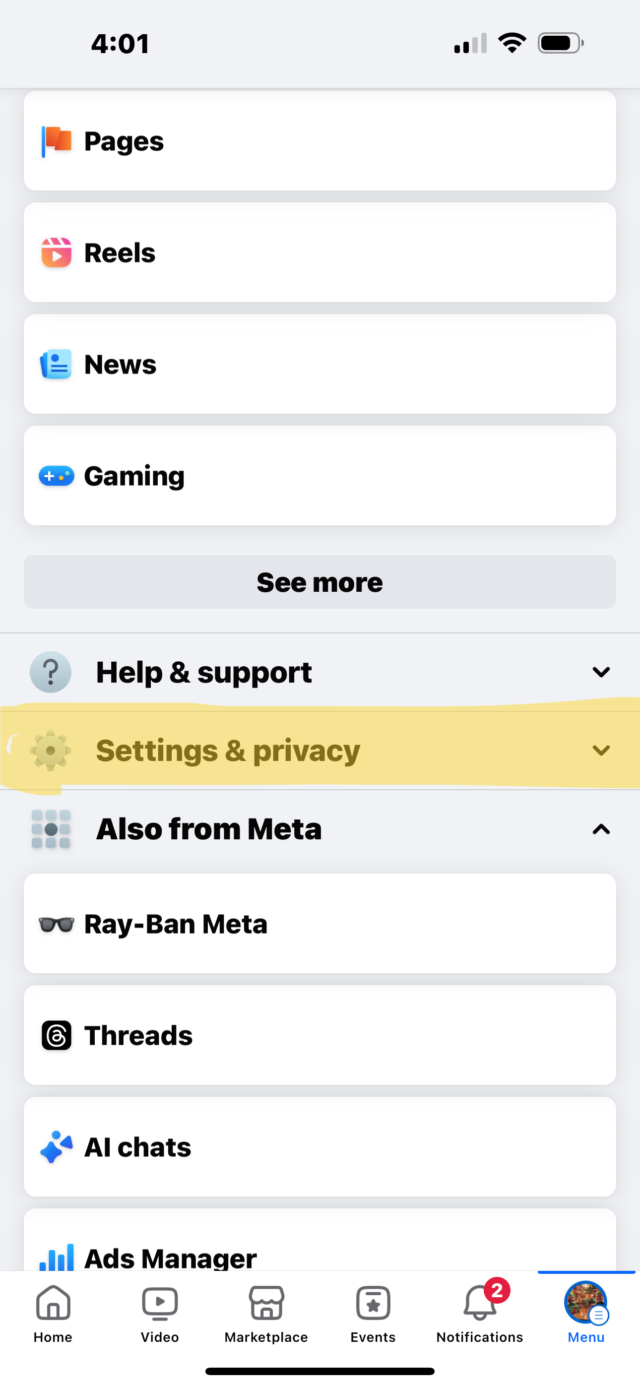
– Tap the three horizontal lines or your profile picture in the bottom-right corner to access the menu.
– Navigate to and select “Settings & Privacy.”
– Choose “Settings.”
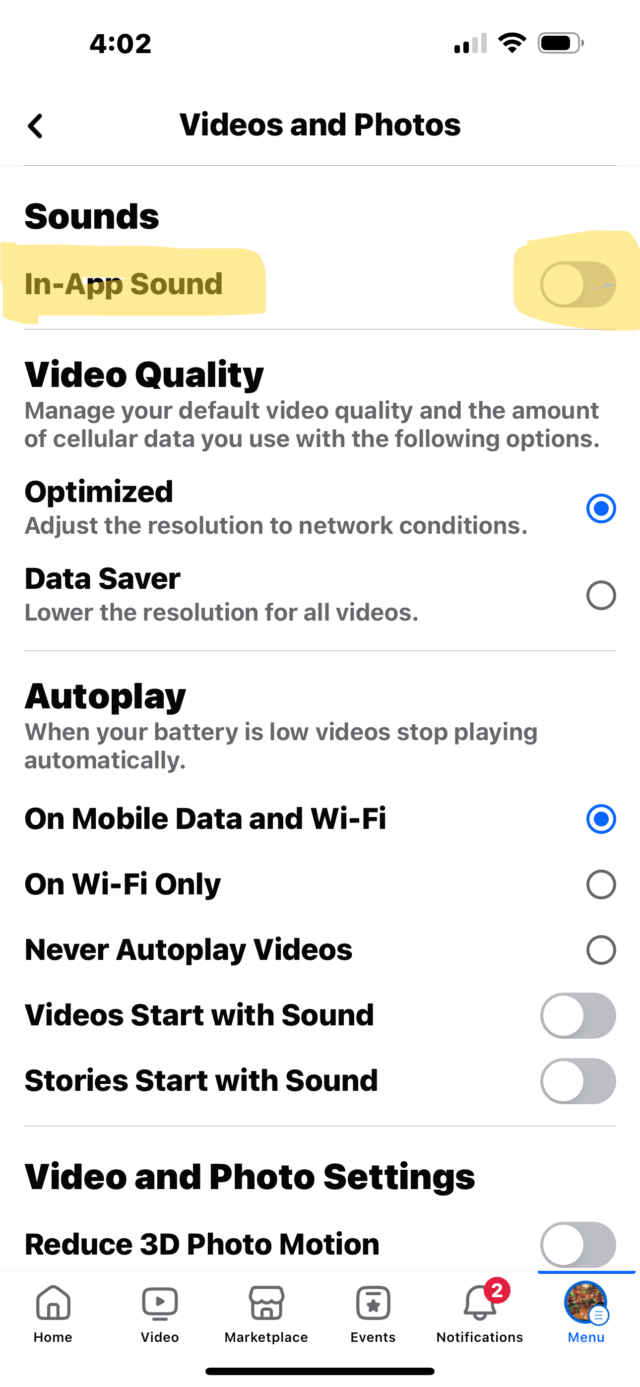
– Scroll to locate “Media.”
– Within the “Sounds” section, switch off the toggle next to “In-App Sounds.”



Sign up for our Sunday Spectator. Delivered to your inbox every Sunday, with all the news from the week.

Thomas Hyslip lives in Tega Cay with his wife and daughter. After 27 years in the U.S. Army and Federal Law Enforcement, he retired to pursue his passion for teaching. Tom is now an Assistant Professor of Instruction at the University of South Florida. In 2 short years he has won 10 awards from the South Carolina Press Association, including first place in column writing, education beat reporting and best podcast.